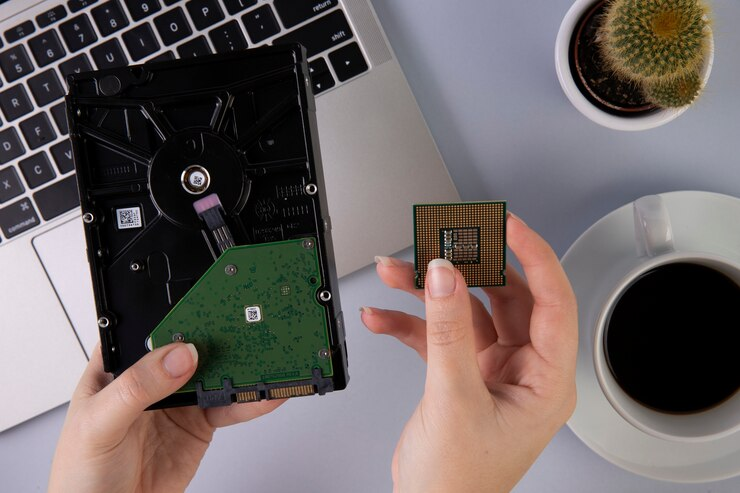

Server memory affects how quickly a business server processes information, handles applications, and responds to user requests. Insufficient or incompatible memory can lead to slower operations, system errors, and interruptions during important tasks. Dell Server Memory is designed to support the demanding requirements of business server environments, including data storage, virtualization, database management, and cloud applications. Ram Exchange offers memory products for different server requirements, helping businesses find suitable options for their existing hardware. Understanding memory types, capacity, compatibility, and performance requirements makes it easier to select the right components and maintain reliable server operations.
What Makes Server Memory Different from Regular RAM?
Server memory, also known as server RAM, temporarily stores the data and instructions that a processor needs while running applications. It allows a server to access frequently used information without repeatedly retrieving it from slower storage devices. Unlike regular desktop memory, server RAM is built for systems that operate for long periods and manage multiple tasks at the same time. Business servers may support dozens of users, databases, virtual machines, and internal applications simultaneously. These workloads require memory that can handle continuous activity with fewer errors.
Several features make server memory suitable for business environments:
- Error-Correcting Code (ECC): Detects and corrects certain memory errors that could affect system stability or data accuracy.
- Registered DIMMs (RDIMMs): Use a register to reduce the electrical load on the memory controller, supporting larger memory configurations.
- Load-Reduced DIMMs (LRDIMMs): Reduce electrical loading further and allow supported servers to use higher memory capacities.
- Higher Capacity Options: Provide enough memory for demanding applications and multiple users.
- Thermal Management: Helps maintain stable operation under continuous workloads.
These features make server-grade memory a practical choice for organizations that depend on consistent system availability.
Why Memory Capacity Matters for Business Servers
Memory capacity determines how much active data a server can handle at one time. If the available RAM is insufficient, the system may rely more heavily on storage to manage running processes. This can slow down applications and affect the experience of employees and customers. For example, a company running accounting software, customer databases, and file-sharing applications on the same server needs enough memory to support all these activities. Adding suitable RAM can help the server manage these workloads more efficiently.
Businesses can benefit from adequate server memory in several ways:
- Faster Application Response: Applications can access frequently used information more quickly.
- Improved Multitasking: Multiple programs and processes can run with fewer memory-related performance limitations.
- Better Virtual Machine Support: Additional capacity allows supported servers to handle more virtual machines.
- Smoother Database Operations: Databases can keep more frequently accessed information in memory.
- Room for Business Growth: Additional memory capacity can support increasing workloads without requiring an immediate server replacement.
However, installing more RAM does not automatically improve performance. The server must support the selected capacity, and the workload must have enough memory demand to benefit from an upgrade.
DDR3, DDR4, and DDR5: Understanding the Differences
Server memory is available in different DDR generations. Each generation has its own specifications, operating requirements, and performance capabilities. Choosing the correct generation is essential because different DDR types are not interchangeable.
DDR3 Server Memory
DDR3 is found in older server systems, including previous generations of Dell PowerEdge servers. It can still support basic business applications, file storage, and other workloads that do not require newer hardware capabilities.
Businesses maintaining older infrastructure may prefer compatible DDR3 modules rather than replacing an entire server. However, availability and long-term support should be considered before upgrading an older system.
DDR4 Server Memory
DDR4 offers higher data transfer rates and improved power efficiency compared with DDR3. It is commonly used in business servers that manage virtualization, databases, hosting environments, and internal applications.
Many organizations use DDR4 because it supports a wide range of enterprise workloads while providing a practical upgrade option for compatible server systems.
DDR5 Server Memory
DDR5 is a newer memory generation designed for supported server platforms. It offers higher bandwidth, increased memory density, and improved power management compared with earlier generations.
It is particularly useful for demanding workloads such as large-scale data processing, analytics, artificial intelligence, and high-performance computing. However, DDR5 requires a compatible server platform and cannot be installed in a DDR4 system.
How to Select Compatible Memory for a Dell Server
Selecting memory involves more than choosing a particular capacity or speed. Every server has hardware requirements that determine which modules it can support.
Here are some factors to check before purchasing:
1. Check the Server Model
Start by identifying the exact Dell PowerEdge server model and generation. Different models support different memory types, capacities, speeds, and module configurations. Check the manufacturer’s technical documentation before making a purchase.
2. Determine the Required Capacity
Review the applications and services running on the server. A system supporting basic file sharing may need less memory than one running several virtual machines or large databases.
Consider current usage as well as expected business growth. This helps avoid purchasing too little memory or spending unnecessarily on excess capacity.
3. Verify Memory Speed
Memory speed affects how quickly data can move between RAM and the processor. However, supported speeds depend on the server processor, motherboard, and installed memory configuration.
Installing faster modules does not guarantee that the server will operate at their maximum rated speed.
4. Choose the Correct DIMM Type
Check whether the server supports RDIMM, LRDIMM, or another specific module type. Registered and load-reduced memory modules should not be mixed unless the server documentation explicitly permits the configuration.
5. Follow Memory Slot Requirements
Server motherboards have specific memory installation rules. Modules may need to be installed in particular slots or channels to maintain balanced performance.
Following the recommended configuration helps the memory controller use available bandwidth efficiently.
Common Signs That a Server Needs a Memory Upgrade
A server may show several signs when its available RAM is no longer sufficient for its workload. Monitoring system usage can help identify these limitations before they cause more serious operational problems.
Look for these common indicators:
- Applications take longer to load or respond.
- Virtual machines experience performance slowdowns.
- Memory usage remains consistently high.
- Users experience delays when accessing shared files or databases.
- The server relies heavily on virtual memory or disk swapping.
- Additional applications cannot run smoothly alongside existing services.
These symptoms can also result from processor limitations, storage problems, or network issues. Reviewing server performance data helps identify whether insufficient memory is the actual cause.
Maintaining Reliable Server Performance After an Upgrade
Installing compatible memory is only one part of maintaining a reliable server environment. Regular checks help businesses identify potential issues and keep their systems operating as expected.
A few useful maintenance practices include:
- Monitor Memory Usage: Review memory consumption regularly to identify capacity limitations.
- Check System Health: Use available server management tools to monitor hardware status and identify memory-related errors.
- Use Compatible Modules: Avoid installing unsupported memory types or mixing configurations that violate manufacturer guidelines.
- Keep Records: Document installed capacities, module specifications, and slot configurations for future upgrades.
- Plan Upgrades Carefully: Schedule hardware changes during suitable maintenance periods to reduce disruption to business operations.
For organizations comparing memory options, Ram Exchange provides access to server memory products for different hardware requirements. Checking the exact server specifications before ordering helps businesses select modules that match their existing infrastructure.
Supporting Business Operations With the Right Memory
Reliable server performance depends on several hardware components working together, and memory is one of the main parts that determines how efficiently a system handles active workloads. The correct capacity, DDR generation, module type, and configuration can help reduce memory-related slowdowns and support consistent application performance. Businesses should assess their existing server requirements before purchasing replacement or additional RAM. Ram Exchange offers memory options for organizations maintaining and upgrading server infrastructure, making compatibility and product specifications important parts of the selection process.
Looking to upgrade your Dell server memory? Reach out today to explore compatible memory options and keep your business servers running efficiently and reliably.